





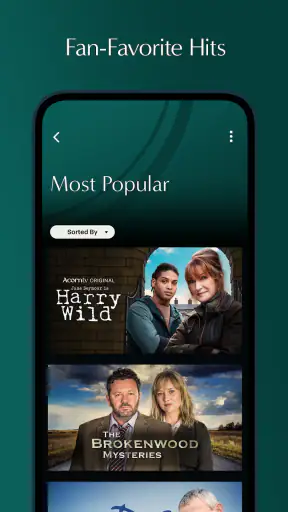
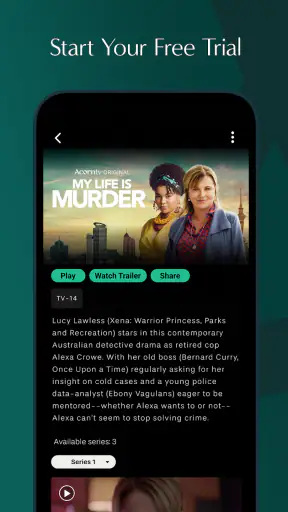


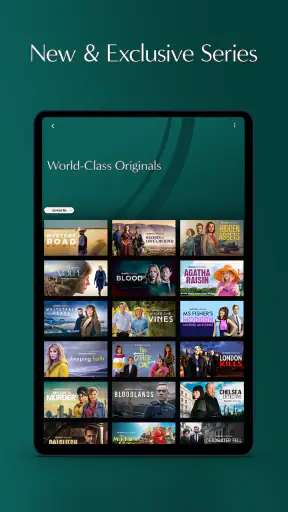
I approached Acorn TV: Brilliant Mysteries as an entertainment app for viewers who want a focused place to watch crime, drama, and comedy series rather than browse an enormous general-purpose catalog. My first impression was that its appeal depends less on flashy extras and more on whether its selection matches your taste. If mysteries, character-led dramas, and British or international-style television are already part of your usual viewing routine, the app has a clear purpose. If you mainly want the broadest possible mix of blockbuster films, live content, or mainstream originals, it is a much less obvious fit.
The app is free to install, but that should not be confused with unlimited free viewing. In-app purchases are listed from $5.99 to $99.99 per item, so I would treat installation as a way to enter the service and explore its viewing experience before deciding how it fits your budget. That distinction matters because many streaming frustrations begin when someone expects a free app to work like a completely free video library.
Getting past the first points of friction
The most common difficulty with a streaming app is not necessarily playback. It is often the sequence before playback: installing the correct application, recognizing the service’s access model, finding a suitable title, and understanding whether a problem comes from the app or from the phone, account, or connection. I found it useful to separate those stages instead of treating every failure as one large issue.
Acorn TV: Brilliant Mysteries is developed by RLJ Entertainment and sits in the Entertainment category. Its store summary emphasizes commercial-free viewing, which makes it particularly attractive for people who dislike interruptions during a tense episode or a carefully paced drama. That benefit is meaningful, but it does not remove the need to check how access is presented after installation. A free download can still lead to paid viewing choices, and I would look closely at the wording on each screen before confirming anything.
The app carries a Teen content rating, so it is not positioned as a children’s viewing environment. I would keep that in mind when deciding whether it belongs on a shared family device. The rating also fits the tone suggested by its crime and drama focus: viewers should choose titles with the intended audience in mind rather than assuming every program is suitable for everyone using the phone.
One practical tip is to install it when you have enough time to complete the initial checks calmly. Starting just before a planned episode can turn a small account or connection issue into a disappointing evening. I prefer opening the app first, confirming that the menus respond, checking the available viewing options, and only then deciding whether to settle in for a full program.
Checks worth making before blaming playback
When a video will not start, I begin with simple checks rather than repeatedly tapping the same button. I confirm that the phone is connected, that other apps can reach the internet, and that the device has not switched unexpectedly between available connections. If browsing works but video does not, I close the app completely and reopen it. This is basic advice, but it often distinguishes a temporary app state from a wider network problem.
I also check whether the application is current. The listed current version is 5.0.28.1, and the minimum operating system is Android 5.0. A device that meets the minimum can still feel less comfortable than a newer phone, especially when the operating system is old or storage is nearly full. I would not interpret an installation problem as proof that the service itself is broken until I have checked the phone’s available space and software compatibility.
Another useful habit is to avoid testing several variables at once. If I change the network, update the app, clear its state, and restart the phone simultaneously, I may get the video working but learn nothing about the cause. A better sequence is to test the connection, restart the app, then restart the device if needed. This makes the next troubleshooting step more deliberate.
People also sometimes search for a particular series by remembering only a character, actor, or plot detail. That can make the catalog feel smaller than it is. I would use the app’s own category and search tools patiently, trying the title in a shorter form and checking spelling. A focused service can be excellent for a specific kind of viewing while still feeling limited if you arrive expecting every familiar television program to appear.
A calmer setup for shared viewing
If you plan to watch on a television or pass the phone between family members, I recommend deciding in advance who will manage the account and purchases. The app is free to download, while individual in-app items can range from $5.99 to $99.99. That is a wide enough range to justify reading each purchase screen carefully, especially on a shared device where someone else might be navigating quickly.
I would also choose the first program with the viewing situation in mind. For a quiet evening alone, a crime series may be ideal because its slower clues and dialogue reward attention. For a group with different tastes, a drama or comedy may be easier to share. This is not just a content preference; it affects how fairly you judge the app. A service built around mysteries can feel excellent when you want exactly that and disappointing when the room wants something completely different.
Because the app is rated Teen, I would not hand it to younger viewers without checking the specific program first. The overall rating is a useful warning about the intended audience, but it should not replace a parent’s judgment about an individual episode. That is especially relevant when the app is installed on a tablet or phone used by several people.
Recovering when a viewing session goes wrong
My preferred recovery method is short and orderly. First, I leave the playback screen and try the title again. If that fails, I close and reopen the app. Next, I check whether another title behaves differently. This third step is valuable: if one program fails while another loads, the issue may be tied to that selection or a temporary service response rather than the entire installation.
If nothing plays, I test another internet-dependent app. When other services are also struggling, I focus on the connection or device instead of repeatedly reinstalling Acorn TV. Reinstallation should be a later step because it can interrupt a working setup without addressing a weak network, insufficient storage, or a broader phone problem.
Restarting the device is worthwhile when the app has become unresponsive, the screen is stuck, or the phone has been running many demanding tasks. I would also close unrelated apps before trying again. This is particularly sensible on older hardware that technically supports Android 5.0 but may have fewer resources available for modern streaming activity.
A less obvious recovery tip is to remember where the failure occurs. If menus open and titles can be browsed but playback fails, that points toward a different troubleshooting path than an app that closes immediately. If the app opens but a purchase screen is confusing, that is an access or billing question rather than a video problem. Writing down the exact stage saves time if you later need help from the developer or the app store.
I would avoid assuming that repeated tapping will speed up a delayed response. It can create multiple requests or make it harder to tell whether the original action worked. One tap, a reasonable pause, and then a controlled retry is a better workflow. This is especially helpful when using a slower connection, where the visual response may not be immediate.
When the app is not the real problem
Streaming depends on more than the application package. A phone can show a normal Wi-Fi symbol while still suffering from congestion, an unstable router, or a poor route to the service. If the same program repeatedly stops while other internet activity is also slow, I would investigate the network before judging the catalog or the player.
Storage is another overlooked cause. Even when an app has already been installed, a nearly full device can behave unpredictably during updates or general use. I would remove material I no longer need, restart the phone, and try again before making a larger change. This is a safer first move than deleting the app immediately.
Operating-system age can also affect the experience. Android 5.0 is the minimum listed requirement, but meeting a minimum does not guarantee the same smoothness as using a recent device. If browsing works but the phone becomes hot, slow, or unstable during video, the limitation may be the handset’s age or available resources. In that situation, a newer device or a different way of watching may be more effective than endless app resets.
Account and purchase confusion deserves separate attention. Since the app is free to install but includes paid items, I would read the confirmation screen carefully and make sure the intended account is active before approving anything. If access appears inconsistent, I would first review the account currently being used and the wording of the purchase or subscription screen. Treating every access issue as a playback fault can lead to unnecessary troubleshooting.
There is also a lifestyle issue that no technical fix can solve. The app’s strongest identity is its concentration on crime, drama, and comedy series. Someone who wants one place for sports, breaking news, major cinema releases, children’s programming, and every popular network show will probably prefer a broader streaming alternative. A general service may offer more variety, while this one can be easier to choose from when your mood already points toward a mystery or television drama.
How I would use it in everyday life
Imagine finishing work with half an hour before dinner and wanting a serious episode rather than an endless search through unrelated recommendations. I would open Acorn TV, go directly to the type of series I already enjoy, and choose something that suits the available time. The focused catalog is useful here because it narrows the decision. The trade-off is that it may not rescue an evening when the household wants several unrelated genres.
For a weekend viewing plan, I would test the app earlier in the day rather than waiting until guests arrive. I would check that the chosen title opens, confirm the account situation, and make sure the device is comfortable for a longer session. This small preparation is more valuable than it sounds: it separates a content decision from a last-minute technical gamble.
I also see a use for it as a second streaming app rather than a complete replacement for every service. If your main platform handles broad entertainment and you regularly miss tightly focused mysteries or dramas, Acorn TV can fill that particular gap. Its value then comes from complementing your habits, not from pretending to be the only app you need.
What the rating and scale suggest
The app holds a 4.1 average from around 7,200 ratings, with about 2,500 written reviews. It has passed one million installs, so it is not an obscure experiment with no established audience. Those figures give me some confidence that the service has reached a meaningful number of viewers, but they do not guarantee that every device, account setup, or title will behave identically.
I read the rating as a sign of a generally positive reception with room for individual frustrations. That feels believable for a specialist streaming app: viewers who want its particular catalog may be very satisfied, while people expecting a broader platform may be less impressed. The number of installs also makes it reasonable to consider, but popularity alone should not outweigh whether its programming fits your routine.
The listed release date is Dec 17, 2016, and the current version is 5.0.28.1. I would interpret that combination as evidence of an app that has continued through multiple iterations rather than a brand-new release. At the same time, version history does not tell me how well it will run on every older phone, which is why the operating-system and device checks remain important.
Where alternatives make more sense
A broad streaming platform is the better choice if your main requirement is variety across many types of entertainment. It may reduce the need to switch services when one person wants comedy, another wants a film, and someone else wants a completely different kind of program. Acorn TV is more appealing when the narrower editorial direction is a benefit rather than a restriction.
A free, ad-supported video service may also be preferable for someone who refuses in-app purchases or wants to watch without committing to a paid viewing option. The trade-off is that advertising can interrupt the experience, while this app’s store summary specifically presents commercial-free viewing as part of its appeal. I would decide whether uninterrupted episodes or maximum free access matters more to you.
For viewers who already know they enjoy mysteries and character-driven series, the focused approach can save time. Instead of evaluating a huge general catalog, you begin closer to the kind of program you wanted. For viewers who choose primarily by new releases, famous films, or live events, the same focus may feel restrictive. Neither choice is universally better; it depends on whether discovery or precision is your priority.
My practical verdict
After looking at the app as both a viewer and a troubleshooting task, I think Acorn TV: Brilliant Mysteries is worth trying for people who want a dedicated home for crime, drama, and comedy series. I especially like the idea of using it when I want a more intentional television evening, without commercial interruptions shaping the pace of an episode. The free installation makes an initial trial approachable, provided you remember that paid in-app options are part of the experience.
I would skip it if you need a single service to cover every genre, live viewing, or a large general entertainment library. I would also be cautious about installing it on a very old or crowded device and then judging the service from poor performance alone. Check the connection, storage, operating system, and account flow first; those details can create problems that look like app failures.
My recommendation is to install it when you have time to explore rather than when a show is already supposed to begin. Test browsing, open a title, review the purchase wording, and decide whether the catalog matches your habits. If it does, the focused selection is its real strength. If it does not, a broader alternative will probably serve you better. For the right viewer, though, this Entertainment app offers a straightforward way to make mystery and drama viewing feel less scattered.


